
Getting Started
How to Check a Web3 Project Before Connecting Your Wallet
A practical checklist for beginners before using a Web3 project: official links, wallet hygiene, network checks, approvals, transaction review, and follow-up safety.
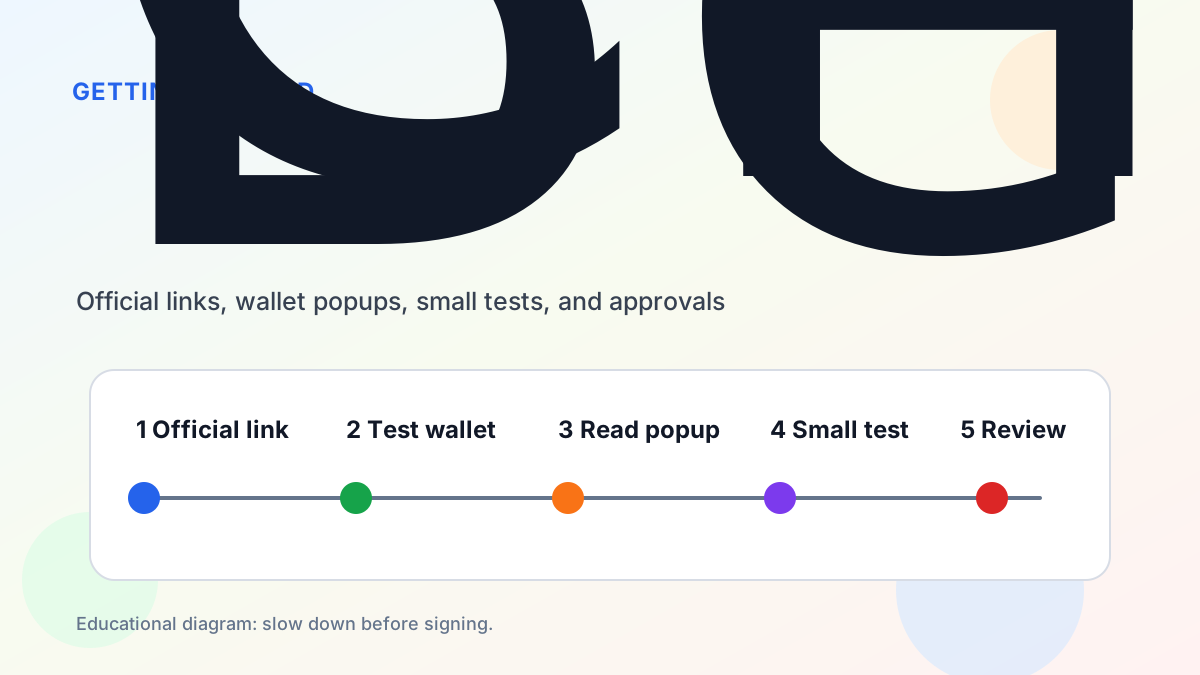
The riskiest moment in Web3 often happens before the transaction. A user opens a link, connects a wallet, and starts clicking through popups without checking where the link came from or what the wallet is asking for.
This guide is written for beginners who want a slower, safer process. It will not prove that every project is safe, and it is not investment advice. It simply gives you a practical routine before you connect a wallet to a new Web3 app.
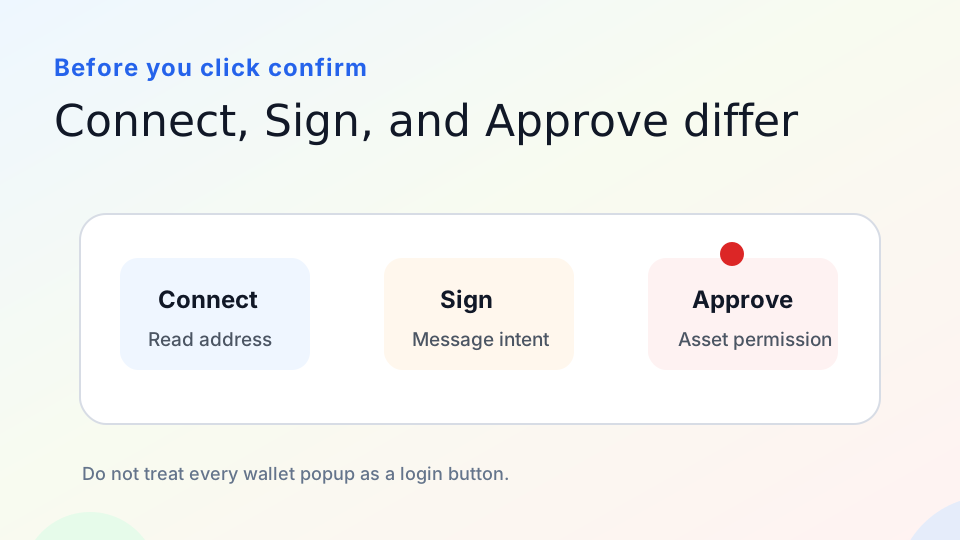
Educational diagram: Connect, Sign, and Approve are different actions.
Step 1: Verify the Official Entry Point
Start by finding the project through its official website, documentation, verified social profiles, or trusted ecosystem pages. Be careful with search ads, direct messages, copied screenshots, and links posted by strangers in chat groups.
Compare the domain carefully. Phishing sites often use extra words, swapped letters, unusual hyphens, or lookalike domains. If the project has official docs, check whether the app link in the docs matches the page you are using.
Step 2: Use the Right Wallet for the Risk Level
Do not connect your main wallet to every new app. A better habit is to use a small learning wallet for unfamiliar projects and keep long-term assets in a wallet that rarely connects to websites.
This separation limits damage if you approve the wrong contract or interact with a risky page. It also makes it easier to review permissions after testing.
Step 3: Understand the Wallet Popup
Not every wallet popup means the same thing. Connect usually lets a site read your public address. Sign asks you to sign a message. Approve gives a smart contract permission to use a token or NFT. Send or contract interaction usually submits an on-chain transaction.
Before confirming, ask: What action is this? Which asset is involved? Which contract or spender is requesting permission? Is the amount limited or unlimited? Does the action match what I expected to do on the page?
Step 4: Check Network, Fees, and Asset Details
Many projects support multiple networks. Make sure the wallet network matches the app. Sending assets on the wrong network or using an unofficial bridge can create confusion or risk.
For swaps and DeFi interactions, check price impact, slippage, gas, and the exact token contract address. A token name or logo can be copied. The contract address is harder to fake if you verify it from official sources.
Step 5: Review After the First Interaction
After a test transaction, save the transaction hash and open it in a block explorer such as Etherscan or the relevant network explorer. Check whether it succeeded, what contract it interacted with, and whether any token approval was created.
If the app was only a one-time test, consider reviewing approvals with a tool such as Revoke.cash. Disconnecting a website from your wallet interface does not always remove on-chain token approvals.
Common Red Flags
Be cautious if a site asks for your recovery phrase, pressures you with a countdown, promises guaranteed rewards, hides contract details, or asks for unlimited approvals without a clear reason. Also be careful when a project only appears in a private message or an unverified group.
A Simple Rule
Before connecting, slow down and check the source. Before signing, read the popup. Before sending value, test small. After interacting, review the transaction and permissions.
Example Walkthrough
Imagine a friend sends you a link to a new staking app. The page looks polished and claims the opportunity ends soon. Instead of connecting immediately, open the project’s official website from a trusted source, check whether the app link matches, and look for documentation or help pages.
Next, use a learning wallet rather than your main wallet. If the site asks you to switch networks, confirm that the network is expected. If the wallet popup asks for an unlimited token approval, pause and ask whether that approval is necessary for the action you intended to take.
If you still decide to test, use a tiny amount first. After the transaction, copy the transaction hash into a block explorer. Check which contract was called and whether a new token approval exists. This process takes a few extra minutes, but it can prevent expensive mistakes.
What Official Links Can and Cannot Do
Official links reduce phishing risk, but they do not remove all risk. A real project can still have bugs, poor design, bad token economics, or unsafe user flows. Treat official links as the starting point for verification, not as a promise that every interaction is safe.
For projects with financial actions, look for documentation, audits if available, active support channels, and clear explanations of risks. For developer tools, look for recent releases, issue activity, and installation instructions. For wallets and security tools, check whether the domain and app store listing match the official source.
Keep a Personal Safety Log
Beginners often forget which apps they tested. Keep a simple note with the project name, official URL, network, transaction hash, and whether you granted approvals. This makes it easier to review permissions later and to explain what happened if something goes wrong.
References
- Ethereum wallets: https://ethereum.org/wallets/
- MetaMask safety tips: https://support.metamask.io/stay-safe/safety-in-web3/basic-safety-and-security-tips-for-metamask/
- Etherscan: https://etherscan.io/
- Revoke.cash: https://revoke.cash/