
Security
What Does “Sign Message” Mean in a Crypto Wallet?
A wallet signature uses your wallet to confirm a message. It is often used for login, proving address ownership, or approving an off-chain action. It is not always a transfer, but
Many beginners search for “sign message wallet safety” only after something feels confusing in a wallet or DApp. This guide starts with a plain answer, then walks through a realistic scenario, practical checks, and common mistakes.
It is not financial advice, legal advice, or a security audit. Treat it as a beginner checklist that helps you slow down before you connect a wallet, sign a message, grant approval, bridge funds, or submit a transaction.
Plain Answer
A wallet signature uses your wallet to confirm a message. It is often used for login, proving address ownership, or approving an off-chain action. It is not always a transfer, but it can still be risky.
The Part Beginners Usually Miss
The biggest misconception is that a gas-free action has no consequence. A login signature may only prove ownership of an address, but some signatures can relate to orders, permissions, permits, or asset movement. The safer question is not only whether it costs gas; it is whether you understand what the signature says and whether the website is trustworthy.
Why This Matters
Because many signatures do not cost gas, beginners may assume they are harmless. Malicious signatures can be designed to approve orders, permissions, or actions that users do not understand.
Web3 puts several different actions inside one wallet interface. Connecting, signing, approving, sending, switching networks, and importing tokens may all happen through similar-looking popups. The user experience can make them feel like one flow, but the consequences are very different.
A beginner-friendly habit is to name the action before confirming it. Are you only letting a site read your public address? Are you signing a message? Are you allowing a smart contract to spend a token? Are you broadcasting a transaction that changes on-chain state?
A Common Scenario
A claim page asks you to sign a long or unreadable message. If the text does not match what you intended to do, or the domain is suspicious, stop before signing.
In that moment, the safest move is not to rush. Check the project source, the domain, the network, the connected address, and the exact wallet request. If the page uses urgency, surprise rewards, or support-style pressure, slow down even more.
A Simple Decision Rule
Before signing, ask: do I understand what this message authorizes? If not, do not sign.
Beginner Checklist
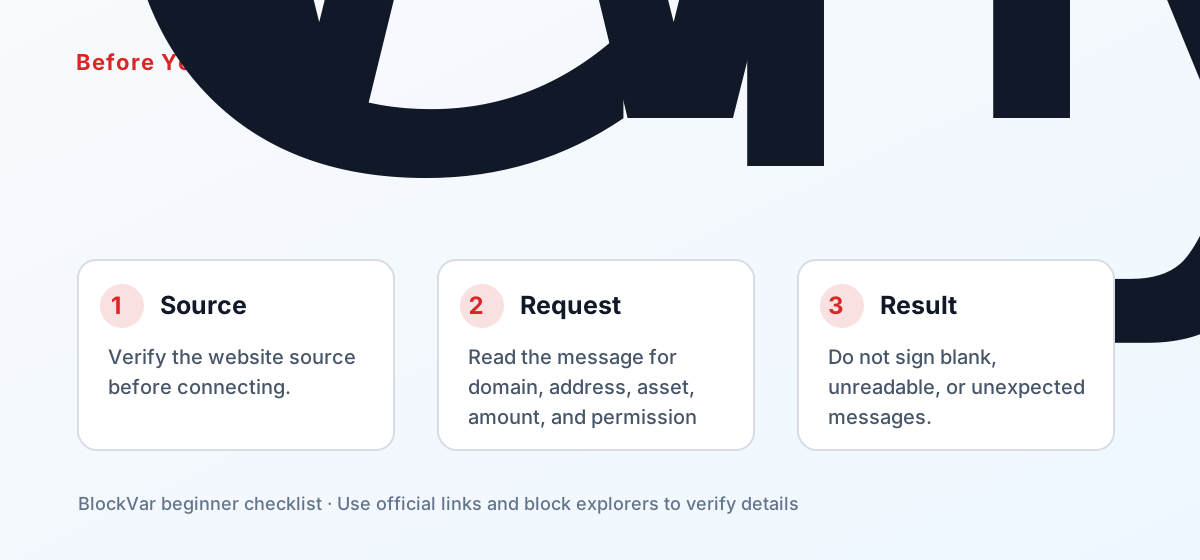
- Verify the website source before connecting.
- Read the message for domain, address, asset, amount, and permission details.
- Do not sign blank, unreadable, or unexpected messages.
- Avoid using your main wallet on unfamiliar sites.
If you are learning, use a separate wallet with small amounts. Keep long-term assets away from unfamiliar sites. When a transaction or approval is involved, save the transaction hash or approval details so you can review them later.
Another useful habit is to keep evidence of what happened. Save the transaction hash after on-chain actions, note which contract received an approval, and record the source and destination network when bridging. These details are much more useful than screenshots when you need to troubleshoot later.
Common Mistakes
- Thinking gas-free means risk-free.
- Treating Sign as a normal login button everywhere.
- Signing quickly because of countdowns or airdrop pressure.
These mistakes usually come from treating a self-custodial wallet like a normal Web account. A normal Web account may have customer support, password resets, chargebacks, or account recovery. On-chain actions can be harder or impossible to reverse once confirmed.
What to Do Next
Build a repeatable routine. Start from official links. Read wallet popups. Test with small amounts. Check transactions on a block explorer. Review approvals after using new DApps. Keep recovery material offline and never type it into a website.
The goal is not to become a protocol engineer. The goal is to understand enough to avoid obvious traps and to know where the official documentation lives when you need to verify a detail.
For searchers arriving from Google, the most durable takeaway is the order of checks: source first, then network and address, then wallet action type. Interfaces change, but that sequence remains useful across wallets, DApps, bridges, and explorers.
References
- MetaMask: Sign data with MetaMask: https://docs.metamask.io/metamask-connect/evm/guides/sign-data/
- MetaMask: Signature phishing: https://support.metamask.io/stay-safe/protect-yourself/wallet-and-hardware/signature-phishing/
- MetaMask security alerts: https://support.metamask.io/configure/wallet/security-alerts/