
FAQ
What Is a Web3 Wallet, and How Is It Different from an Exchange Account?
A beginner-friendly explanation of Web3 wallets, addresses, recovery phrases, private keys, and how self-custody differs from an exchange account.
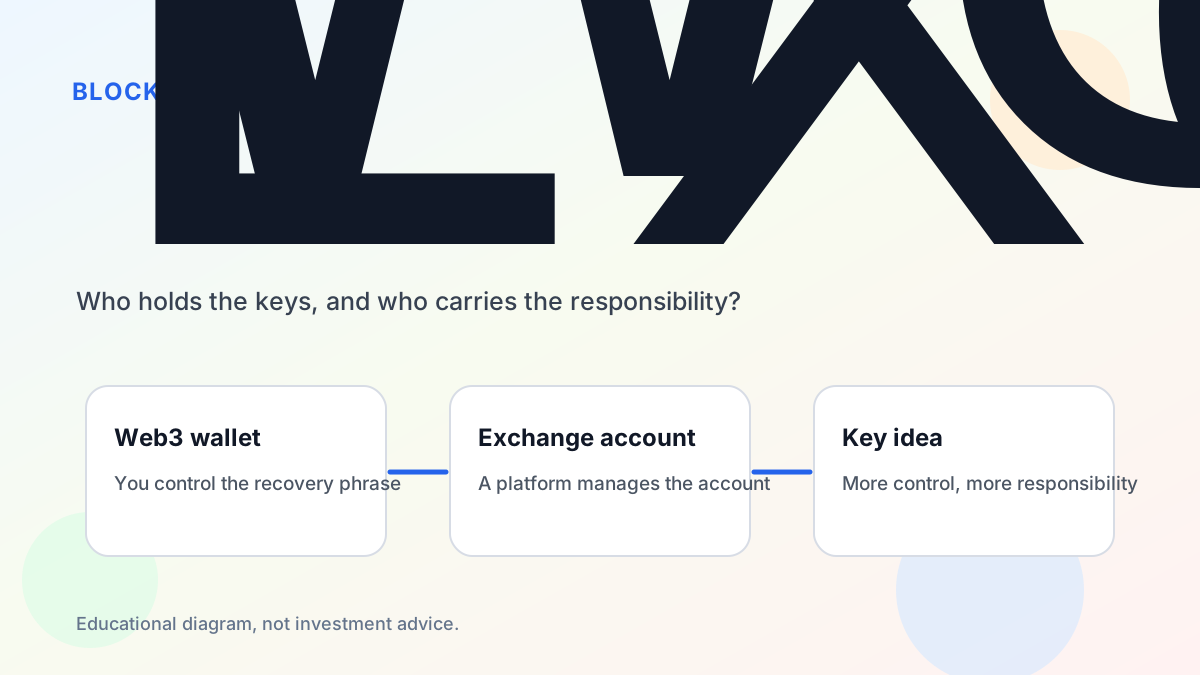
A Web3 wallet is one of the first tools people meet when they start using blockchain apps. It can look similar to an exchange account because both may show balances and transaction history. Under the surface, however, they are very different.
A simple way to think about it is this: an exchange account is usually a custodial account managed by a company, while a Web3 wallet is a self-custodial tool that helps you control a blockchain address. That difference changes how you log in, how you recover access, and who is responsible when something goes wrong.
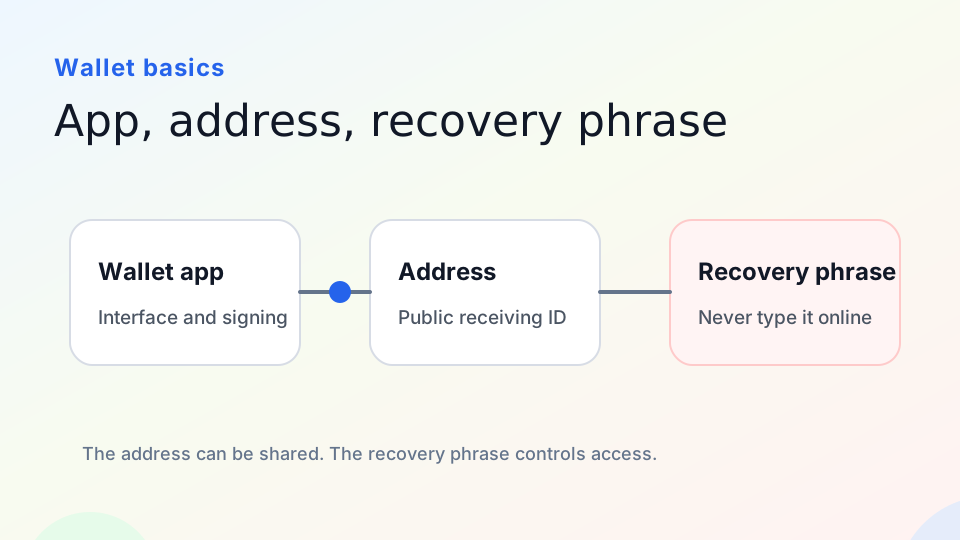
Educational diagram: the address can be shared, but the recovery phrase controls access.
What a Web3 Wallet Actually Holds
A wallet does not store coins in the same way a physical wallet stores cash. Assets exist as records on a blockchain. The wallet helps you manage the cryptographic keys that control an address, sign messages, send transactions, switch networks, and connect to decentralized applications.
There are three beginner terms worth separating. The wallet app is the software you use, such as a browser extension, mobile app, or hardware wallet companion. The address is a public identifier that other people can send assets to. The private key or recovery phrase is the sensitive secret that controls access.
This is why wallet safety advice focuses so heavily on recovery phrases. If someone gets the recovery phrase for a self-custodial wallet, they may be able to control the accounts derived from it. It is not a password reset code, and it is not something support staff should ask for.
How an Exchange Account Is Different
A crypto exchange account usually works more like a traditional online account. You sign in with an email, password, and two-factor authentication. The exchange handles custody, internal balances, trading systems, deposits, withdrawals, and account recovery processes.
This can be easier for beginners, but it also means you are relying on the platform. You may not directly control the underlying blockchain address, and your ability to withdraw assets can depend on platform rules, identity checks, supported networks, and risk controls.
A self-custodial wallet gives you more direct access to Web3 apps, but it also gives you more responsibility. If you sign a malicious approval, send assets to the wrong address, or lose your recovery phrase, there may be no customer support path that can undo it.
When You Need a Web3 Wallet
You may not need a Web3 wallet if you only buy and sell assets inside a centralized exchange. You usually do need one when you want to connect to a DApp, use DeFi, mint or manage NFTs, vote in a DAO, bridge assets, test an on-chain product, or inspect wallet-based identity.
A good first step is to create a learning wallet with only a small amount of funds. Use it to practice receiving assets, reading transaction hashes, connecting to official apps, and reviewing wallet popups. Do not put your main assets into a new workflow before you understand the basics.
Common Beginner Mistakes
One common mistake is assuming that deleting the wallet app deletes the assets. It usually does not. The assets remain associated with the blockchain address. If you have the correct recovery phrase or private key, you can restore access in a compatible wallet.
Another mistake is treating every wallet popup as a login button. Connecting a wallet, signing a message, approving a token, and sending a transaction are different actions. A harmless-looking website can still request a dangerous approval.
A third mistake is trusting search ads or direct messages when downloading wallet software. Always start from the official website or official app store listing, and verify the domain carefully.
A Practical Starting Checklist
Before using a Web3 wallet with real funds, make sure you can answer five questions. Where did I download the wallet? Where is my recovery phrase backed up? Which network am I using? What is this website asking me to sign? How can I inspect or revoke permissions later?
If any of those answers are unclear, slow down. Web3 wallets are powerful because they give users direct control, but direct control works best when paired with careful habits.
A Real-World Example
Imagine you want to try a new NFT mint. With an exchange account, you might only be able to buy or withdraw supported assets inside that exchange. With a Web3 wallet, you can connect directly to the mint website, choose the correct network, review the transaction, and sign from your own address.
That direct connection is powerful, but it also changes the risk model. If the mint page is fake, the wallet will not automatically know that. If the page asks for a token approval instead of a simple mint transaction, you must notice the difference. If you connect your main wallet to every new site, you increase the number of places where a mistake can happen.
For this reason, many experienced users separate wallets by purpose. One wallet may be used for learning and small tests. Another may be used for everyday apps. A third, often paired with a hardware wallet, may be kept away from random websites and used mainly for long-term storage.
What Beginners Should Practice First
Before holding meaningful value in a Web3 wallet, practice a few low-risk actions. Create a wallet, write down the recovery phrase offline, receive a tiny amount of the network’s native asset, send a small transfer, and look up the transaction on a block explorer. Then connect to a well-known official app and learn how to disconnect the session.
The goal is not to become a blockchain engineer. The goal is to build enough muscle memory that a wallet popup no longer feels like a mysterious black box.
References
- Ethereum.org wallets: https://ethereum.org/wallets/
- Ethereum accounts: https://ethereum.org/guides/how-to-create-an-ethereum-account/
- MetaMask recovery phrase guide: https://support.metamask.io/start/user-guide-secret-recovery-phrase-password-and-private-keys/