



What Is a Seed Phrase, and Why Should You Never Share It?
A seed phrase, sometimes called a Secret Recovery Phrase, is a set of words that can restore and control a self-custodial wallet. It is not a password reset code, and it is not inf

Many beginners search for “what is a seed phrase” only after something feels confusing in a wallet or DApp. This guide starts with a plain answer, then walks through a realistic scenario, practical checks, and common mistakes.
It is not financial advice, legal advice, or a security audit. Treat it as a beginner checklist that helps you slow down before you connect a wallet, sign a message, grant approval, bridge funds, or submit a transaction.
Plain Answer
A seed phrase, sometimes called a Secret Recovery Phrase, is a set of words that can restore and control a self-custodial wallet. It is not a password reset code, and it is not information support staff should ever need.
The Part Beginners Usually Miss
The key point is that a seed phrase is usually enough to recreate wallet accounts. A wallet app password protects the local app; the seed phrase protects access to the accounts themselves. Even if you change devices or reinstall the wallet, someone with the phrase may be able to restore the wallet elsewhere. Treat it as recovery material that should never appear in an online form.
Why This Matters
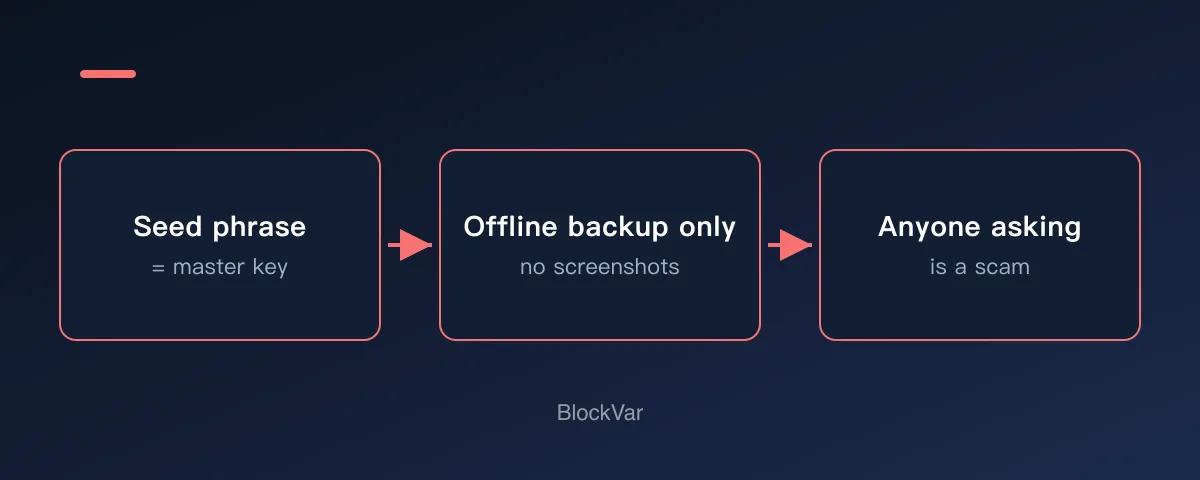
Beginners often think a seed phrase works like a normal account recovery option. In a self-custodial wallet, it is closer to a master key. Anyone who gets it may be able to restore the wallet and control the accounts derived from it.
A Common Scenario
The most common traps are fake support agents, fake airdrops, fake wallet recovery pages, and phishing sites. They create urgency, claim your wallet is blocked, and ask you to type or upload the phrase.
A Simple Decision Rule
If a website, support agent, or stranger asks for your seed phrase, stop. Wallet recovery should only happen inside trusted wallet software you intentionally opened.
Beginner Checklist
- Back up the phrase offline in a private place.
- Do not screenshot it, upload it, or send it in a chat.
- Install wallets from official websites or official app stores.
- If you suspect exposure, move remaining assets to a new wallet instead of trusting the old one.
Once the backup exists, restore from it on a second device and confirm you get the same address. A backup you have never restored from is not yet a backup you can rely on.
Common Mistakes
- Believing official support can recover the phrase for you.
- Sharing the phrase with a stranger who claims to be support.
- Storing the phrase beside ordinary website passwords without extra protection.
What to Do Next
Decide how you will store it before you need it: written on paper or stamped into metal, kept in two separate physical locations, never photographed, never in cloud storage, never sent to anyone. Then run a recovery drill — restore the wallet on a second device from that backup and confirm it produces the same address. Until that drill passes, you do not know whether the backup works.
If you have ever stored a seed phrase on an internet-connected device, the safe move is to create a new wallet and move the funds, rather than hoping the file was never read.
Related Reading
- Private Key vs Seed Phrase vs Wallet Address: Beginner Guide
- What Does “Sign Message” Mean in a Crypto Wallet?
- What Is a Token Approval, and How Do You Check and Revoke It?
- What Is a Hardware Wallet, and When Do You Need One?
- Eight Habits That Cost Beginners the Most in Their First Year
References
- MetaMask: Secret Recovery Phrase, password and private keys: https://support.metamask.io/start/user-guide-secret-recovery-phrase-password-and-private-keys/
- MetaMask: How to verify the real MetaMask wallet: https://support.metamask.io/stay-safe/safety-in-web3/how-do-i-recognize-the-real-metamask-/
- Ethereum.org wallets: https://ethereum.org/wallets/
Keep reading
Is There a MetaMask Airdrop? Rewards After Season 1 and the $MASK Question
MetaMask says there are no current plans for a $MASK token, and Rewards Season 1 has ended. What Rewards offers now and how to spot fake airdrops.

Wallet Hacked? What to Do First, Step by Step
After a wallet hack, find the cause first: a leaked seed phrase means a new wallet; abused approvals mean revoking. The steps, per MetaMask and Revoke.cash.
What Is Address Poisoning? Zero-Value Transfer Scams and How to Avoid Them
Address poisoning slips a look-alike address into your history with a zero-value transfer. How it works and how to avoid it, per MetaMask and Etherscan.
Is Abstract Global Wallet Safe? Where the Keys of an Email-Login Wallet Live
Abstract Global Wallet lets you sign in with email, a social account or a passkey. From the official architecture docs: how the smart-contract wallet works, how its key is split into three shards, what recovery depends on, and the risks of session keys and cross-chain transfers.
How to Set Up a Binance Account: Regions, Verification, Security
Settle regional availability and verification tier before registering. Why funding carries more risk than fees, and four settings to finish on day one.
OKX Account vs Web3 Wallet: What to Settle Before You Start
One app holds two different things: a custodial exchange account, and a self-custodial Web3 wallet whose recovery phrase nobody can restore for you.