



Does Disconnecting a Wallet Remove Token Approvals?
Disconnecting a wallet usually removes the current site connection. It does not automatically revoke token approvals that were written on-chain.

Many beginners search for “disconnect wallet remove token approvals” only after something feels confusing in a wallet or DApp. This guide starts with a plain answer, then walks through a realistic scenario, practical checks, and common mistakes.
It is not financial advice, legal advice, or a security audit. Treat it as a beginner checklist that helps you slow down before you connect a wallet, sign a message, grant approval, bridge funds, or submit a transaction.
Plain Answer
Disconnecting a wallet usually removes the current site connection. It does not automatically revoke token approvals that were written on-chain.
The Part Beginners Usually Miss
Disconnecting is front-end session management. Revoking approvals is on-chain permission management. The first action tells a site it should no longer be connected to your wallet interface. The second action changes an existing token spending permission. They solve different problems, so one should not be treated as a replacement for the other.
Why This Matters
Many users believe removing a connected site ends all permissions. MetaMask documentation notes that disconnecting a DApp does not revoke token approvals already in place.
A Common Scenario
You gave a DApp unlimited approval months ago. Later you disconnect the site from your wallet interface, but the approval can still remain on-chain until you revoke it.
A Simple Decision Rule
Use disconnect to remove a site session. Use revoke to remove on-chain token spending permission.
Beginner Checklist
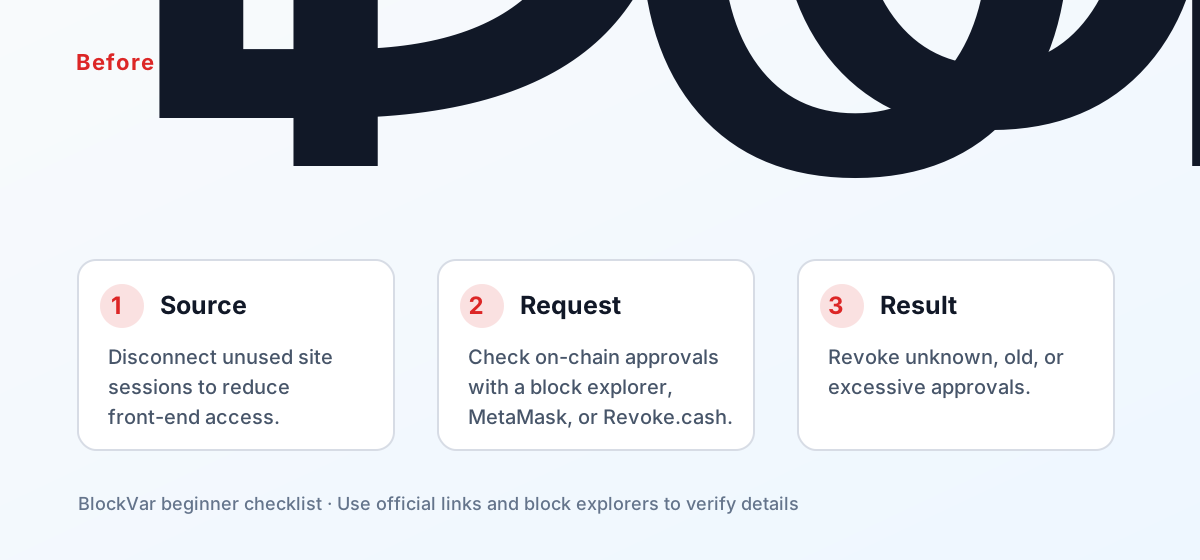
- Disconnect unused site sessions to reduce front-end access.
- Check on-chain approvals with a block explorer, MetaMask, or Revoke.cash.
- Revoke unknown, old, or excessive approvals.
- Remember that revoking usually costs gas.
When reading the approval list, pay attention to the dates. The oldest entries usually belong to projects you have already forgotten, and those are the riskiest ones to leave open.
Common Mistakes
- Treating disconnect and revoke as the same action.
- Clearing browser data without checking approvals.
- Forgetting that revocation itself is an on-chain transaction.
What to Do Next
Go and read your approval list now. Revoke everything from projects you no longer use, and either cap or remove unlimited allowances. Revoking is itself an on-chain transaction and costs gas, so it is worth batching them and doing it while the network is quiet.
Then set a rhythm — check after every campaign you join, or review on a fixed monthly schedule. Disconnecting is still worth doing, but understand that it solves a privacy and interface problem, not a permissions one.
Related Reading
- What Is a Token Approval, and How Do You Check and Revoke It?
- What Does “Sign Message” Mean in a Crypto Wallet?
- What Is a Wallet Drainer, and How Can Beginners Avoid It?
- Your Wallet Was Drained: What to Do in the First 30 Minutes
References
- MetaMask: disconnect a wallet from a dapp: https://support.metamask.io/more-web3/dapps/disconnect-wallet-from-a-dapp/
- MetaMask: revoke token approvals: https://support.metamask.io/more-web3/learn/how-to-revoke-smart-contract-allowances-token-approvals/
- Revoke.cash: token approvals: https://revoke.cash/learn/approvals
Keep reading
Is There a MetaMask Airdrop? Rewards After Season 1 and the $MASK Question
MetaMask says there are no current plans for a $MASK token, and Rewards Season 1 has ended. What Rewards offers now and how to spot fake airdrops.

Wallet Hacked? What to Do First, Step by Step
After a wallet hack, find the cause first: a leaked seed phrase means a new wallet; abused approvals mean revoking. The steps, per MetaMask and Revoke.cash.
What Is Address Poisoning? Zero-Value Transfer Scams and How to Avoid Them
Address poisoning slips a look-alike address into your history with a zero-value transfer. How it works and how to avoid it, per MetaMask and Etherscan.
Is Abstract Global Wallet Safe? Where the Keys of an Email-Login Wallet Live
Abstract Global Wallet lets you sign in with email, a social account or a passkey. From the official architecture docs: how the smart-contract wallet works, how its key is split into three shards, what recovery depends on, and the risks of session keys and cross-chain transfers.
How to Set Up a Binance Account: Regions, Verification, Security
Settle regional availability and verification tier before registering. Why funding carries more risk than fees, and four settings to finish on day one.
OKX Account vs Web3 Wallet: What to Settle Before You Start
One app holds two different things: a custodial exchange account, and a self-custodial Web3 wallet whose recovery phrase nobody can restore for you.