



What Is a Residential IP, and Why Do Node Projects Want It?
Nearly every idle-node project says "residential IP required." Here is what separates residential from datacenter IPs, how projects detect your IP type, why proxies and VPS setups get banned, and what to consider before sharing your home connection.

Updated July 2026. IP classification and detection principles are evergreen; each project's specific enforcement rules live in its own community guidelines.
Open the docs of any idle-node project and you will find the same requirement: residential IP required. Datacenter IPs earn less or nothing; proxy IPs get you banned. That rule reflects the entire sector's business logic — understanding it tells you whether your network qualifies, and why every "run 50 nodes on a VPS farm" tutorial ends in bans.
Residential vs datacenter vs mobile IPs
IP addresses fall into three broad classes by who allocates them:
- Residential IPs: assigned by home ISPs (Comcast, Deutsche Telekom, etc.) to household connections. They carry real household traffic patterns and map to real residential geography;
- Datacenter IPs: allocated to cloud providers and hosting facilities (AWS, DigitalOcean, VPS vendors). Registered in bulk to datacenters — anyone can rent them by the hundred for a few dollars;
- Mobile IPs: assigned by cellular carriers; shared egress points that change frequently.
All of this registration data is public: every IP resolves to an ASN (Autonomous System Number) and a registrant. Detecting a datacenter IP is a table lookup, not forensics — which is why "disguising a VPS as home broadband" essentially never works.
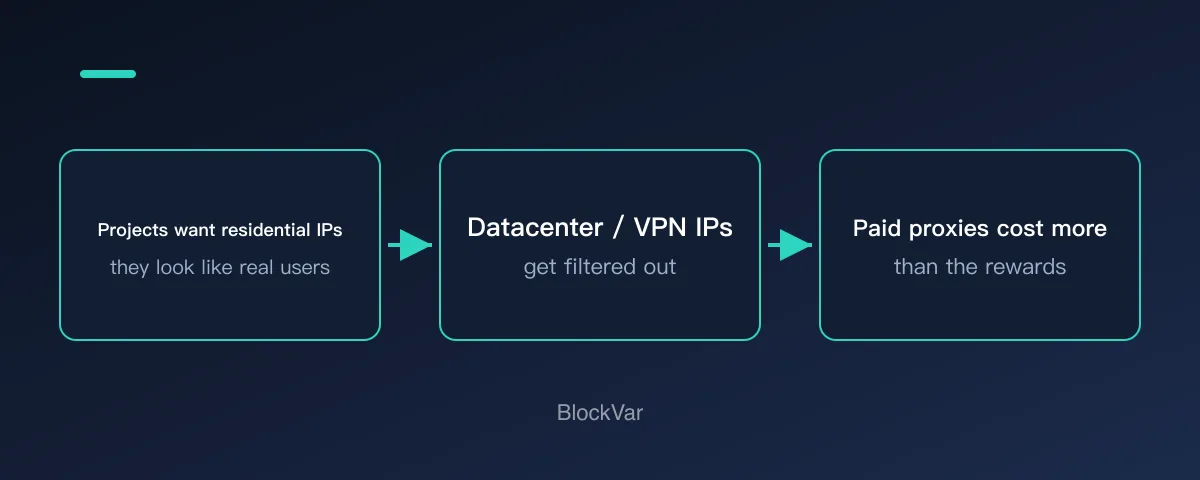
Diagram: residential IPs are prized because they look like real users — but paying for proxies usually costs more than the rewards return.
Why do these projects only want residential IPs?
The answer is on the demand side. Bandwidth networks like Grass use node connections to collect public web data — and major websites restrict datacenter IP ranges far more aggressively than residential ones. The same request sent from home broadband and from AWS faces completely different block rates. What the customer buys is not "bandwidth" — it is the ability to access public web pages with the reputation of a real household connection.
That explains two things at once:
- Why geography affects earnings: customer demand concentrates in specific countries; Grass's published Stage 2 allocation rules explicitly weight location (our Grass analysis covers this);
- Why datacenter IPs get banned rather than just down-ranked: they are worthless to customers and pollute data quality — projects have no reason to tolerate them.
How projects detect your IP type
Public methods are already precise enough:
- ASN and registry data: ownership is one lookup away; datacenter ranges are flagged wholesale;
- Commercial IP reputation databases: services like IPinfo and MaxMind maintain per-IP type labels (residential/datacenter/proxy/VPN) with high accuracy;
- Behavioral signals: a "household" IP online 24/7 with script-regular traffic, or one account hopping across dozens of IPs — these patterns trigger automated and manual review.
This is also why "just buy residential proxies" is an illusion: proxy pools are shared by thousands of users and long since labeled in every reputation database, and the multi-account-on-shared-pool pattern is itself a ban signal.
Three things to consider before sharing your home IP
Sharing your residential IP means letting a stranger's traffic exit through your network identity. Before joining:
- Traffic purpose: read the privacy policy — does it commit to accessing only public web data, and is there a third-party audit or open-source client to verify?
- Liability exposure: if the traffic trips a target site's abuse detection or touches content restricted in your region, the IP on record is yours. Projects with clear disclosures and track records substantially reduce this risk;
- Device safety: use official clients only — "cracked" or "multi-instance" builds are a malware minefield.
We do not recommend buying residential proxies, second-hand broadband, or "IP rental" services to farm nodes: the cost rarely beats the payout, and it violates virtually every project's community guidelines.
FAQ
How do I know if my IP is residential?
If you are on home broadband without a VPN or proxy, it almost certainly is. Look your IP up on IPinfo and check whether the type field says residential/ISP.
What happens if I farm through a VPN?
VPN exits are mostly datacenter IPs and are listed in VPN databases. Best case your traffic earns nothing; worst case the account is banned. Run nodes on a direct connection.
Do campus or office networks count as residential?
Usually not — they are registered to institutions and share egress across many users. Several people running the same project behind one egress also trips multi-account detection.
Is a mobile hotspot acceptable?
Some projects accept mobile IPs, but shared egress and frequent changes hurt earning stability. Check each project's rules.
Related reading
- Grass in 2026: Revenue Up, USDC Rewards, Token Debate
- What Is Gradient Network? Sentry Node Rewards Have Ended
- How to Spot Fake Airdrop Claim Sites Before You Connect
- Are Node-Farming Browser Extensions Safe? What to Check First
- What Is Pipe Network? Life After Mainnet and the PIPE Token
References
Keep reading
Is There a MetaMask Airdrop? Rewards After Season 1 and the $MASK Question
MetaMask says there are no current plans for a $MASK token, and Rewards Season 1 has ended. What Rewards offers now and how to spot fake airdrops.

What Are Web3 Points? Do Points Turn Into Tokens?
Points are a project's own participation record; whether they convert, and into what, is the project's call. Examples from Grass, MetaMask Rewards and Abstract.
What Is a Sybil Address? How Airdrops Filter Them Out
Being flagged as a Sybil means a project decided many addresses belong to one person. How detection works, per the Arbitrum Foundation's published methodology.
USDT on TRC20 or ERC20? Networks, Fees and Checks Before You Send
TRC20 and ERC20 are USDT on TRON and Ethereum. Addresses, fees and checks differ. Based on Tether, TRON and Ethereum docs: how to choose and what to check.
What Are Layer3 Liquid Rewards? CUBE Mint Rebates and L3 Lock Tiers
Minting a CUBE on Layer3 can earn L3 back at up to 100%, in five tiers set by locked L3 or L3 plus a league. See the conditions, how to claim and why the rate is not a yield.
How to Earn Abstract XP: Weekly Updates, Badges and the XP Multiplier
According to Abstract's Portal docs, XP comes from using apps listed on the Discover page, streaming and building apps. It updates weekly and cannot be transferred. Learn how badges are earned, where the multiplier comes from and what can cost you XP.